In the home improvement industry, great products aren’t enough. Whether your brand is on shelves at The Home Depot, Lowe’s or both, today’s customer journey almost always starts online. That means your Product Information Page (PIP), or Product Description Page (PDP), is just as important as your in-store packaging or endcap placement.
Think of your PIP or PDP as your digital shelf. It’s your first – and sometimes only – chance to capture attention, communicate value and convert a shopper into a customer. And just like with in-store merchandising, the brands that invest in their digital presence are the ones seeing the most significant wins.
Why the Digital Shelf Matters
Even for highly considered purchases like tools, storage, decking or outdoor products, today’s shoppers rely on online product pages to compare, evaluate and validate their choices. A lackluster or outdated digital shelf can create doubt, drive up returns or send shoppers looking elsewhere.
On the flip side, a strong digital shelf presence builds confidence, shortens the path to purchase and helps your brand stand out, even in a sea of similar SKUs.
Simple Tactics that Make a Big Impact
You don’t need to overhaul everything overnight, but you do need a plan. Here are a few straightforward ways manufacturers and suppliers can start improving their product pages today.
- Use Every Available Asset Tile
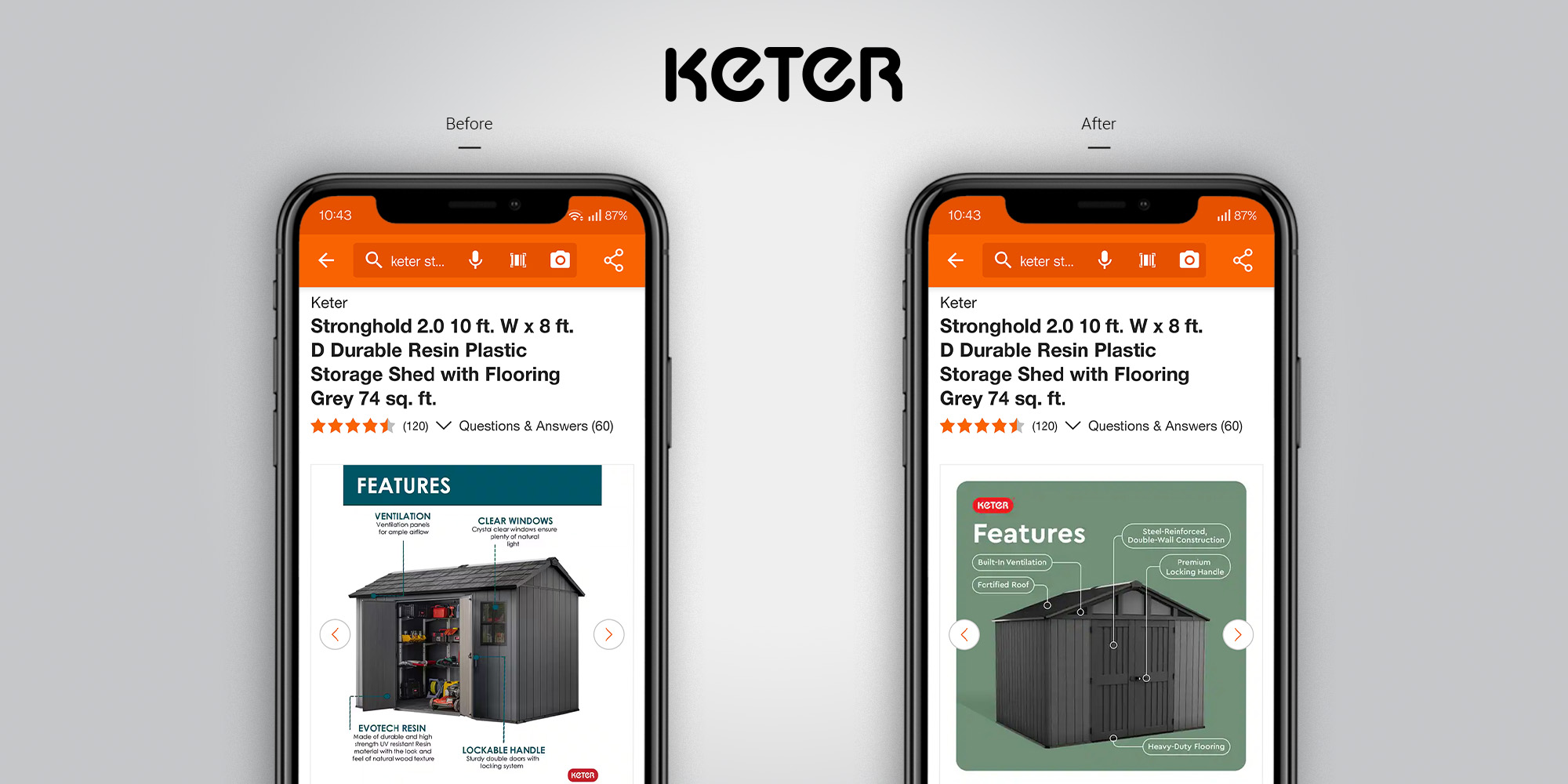
Home Depot and Lowe’s give brands multiple opportunities to showcase products through image and video tiles, and each one should be purposeful and add value. The following are different types of content you can use for these tiles, along with tips for making them work harder:- Main Image/Primary Tile – This is your first impression. Use strong imagery with callouts to clearly communicate benefits and help your product stand out from competitors. Ask yourself, “Are we adding value for the shopper at first glance?”
- Rollover Image – Often overlooked, this can be used to reinforce product quality or highlight a secondary benefit when customers hover over the primary image.
- Silo and Environmental (In-Use) Images – Combine clean, background-free silo shots with environmental photography to show scale, context, and how the product fits into the customer’s life or project.
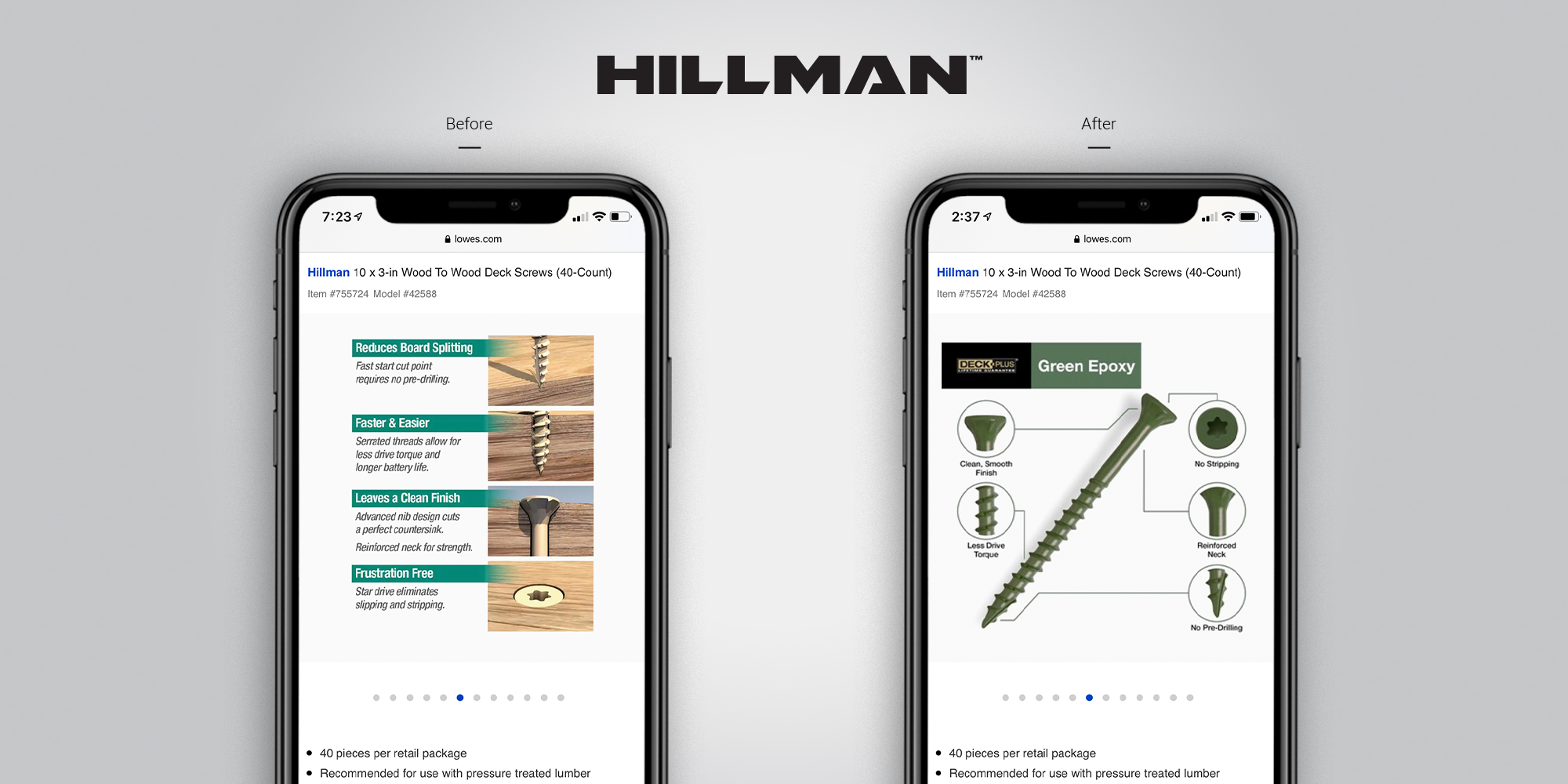
- Features and Benefits Tile – Clearly outline key and hidden features, dimensions and unique selling points. The spider-graphic format helps make complex details easy to digest.
- SKU-Specific to Brand-Specific Tiles – Use these to tie the product back to your brand story and broader value proposition. Examples: bulk buy options, family shots, company values or claims, warranty information and other relevant certifications
- Video Tiles – Retailers now allow multiple video integrations on a single product page. Use this space for how-to videos, features/benefits overviews, or even short brand videos to build trust and increase engagement.
- Photography Quality
Strong product photography is non-negotiable for a competitive digital shelf presence. Clear, well-lit, high-resolution images showcase quality, build trust and reduce returns. (Read more in our blog Product Photography Post-Production: 7 Quick Steps to Improve Your Digital Shelf.)
- Update Product Descriptions and Bullets
Make sure your copy is easy to scan and highlights the most important benefits. Avoid technical jargon and lead with what the customer cares about – performance, compatibility, ease of use, etc.
- Take Advantage of Rich Content
Many retailers now allow rich content modules to expand beyond the standard layout. This is a great place to tell your brand story, explain differences between product lines or guide shoppers to the right choice.
- Add Downloadable Resources
Installation instructions, user manuals, spec sheets – these not only reduce customer service calls, but also help build trust and transparency with shoppers doing their research.
- Competitive Benchmarking
Compare your product pages to category leaders. Are their visuals stronger? Do they highlight benefits more clearly? Identify where your content falls short, then improve those areas so your product is just as strong, if not stronger, than the competition.
The Bottom Line
If your digital shelf isn’t working as hard as your physical one, you’re missing a critical opportunity. With a mix of smart strategy and brand-aligned creative, your digital shelves can become a key driver of conversion, loyalty and retail performance.
At Porchlight, our approach to digital shelf updates starts with a full audit or “report card” to identify what’s working, what’s missing and where your product page can perform better. From there, we develop custom templates, capture or refresh photography and video, and refine copy to curate a cohesive story that connects with shoppers. We also think strategically about how content is uploaded. While tools like Salsify can be convenient, they can also auto-select or resize assets in ways that hurt quality and consistency. Uploading directly into a retailer’s native back end ensures your images, videos, and copy appear exactly as intended and are optimized for size, clarity and layout, giving you greater control and better results on the digital shelf. If you’re ready to make your product pages work as hard as your products, start by requesting a digital shelf audit. We’ll give you a clear roadmap to elevate your digital shelf presence and drive results where it matters most.
Want to see examples of a strong digital shelf in action?
Check out our case study for Hillman or get in touch to talk about how we can help your products shine online.
Some Examples